If you came looking for framepack, this comparison offers a look at how two other AI tools handled the same image prompt. It examines the resulting images and their limitations; it does not test framepack.
This is an independent hands-on comparison of two third-party tools; both were run on my own accounts — a free tier and a paid plan — with no vendor-provided access. The observations below come from four downloaded image originals and the recorded screens and balances for these particular runs.
My verdict in 60 seconds
Two images from Higgsfield and two from AI Video Pro tackled the same fictional LUMA phone package. Both interfaces displayed Nano Banana Pro and a 16:9 selection. Every delivered original measured 1376 × 768 pixels. All four made a legible package, but neither pair was reliably brand-clean: AI Video Pro's first handset acquired a physical Home button, and the second images on both platforms acquired an Apple mark nobody requested. Higgsfield's two original PNGs also carried a visible HIGGSFIELD AI mark in the lower-right corner. Its completed image cards appeared sooner in these two runs; AI Video Pro's paid-Pro-account JPEGs did not show a AI Video Pro watermark. That is an account-specific observation, not a promise about either site's other plans.
This is a creative-task tie, not a scored contest. Every output still needs inspection before a fictional-device launch, and four stochastic images cannot establish a universal image-quality winner.
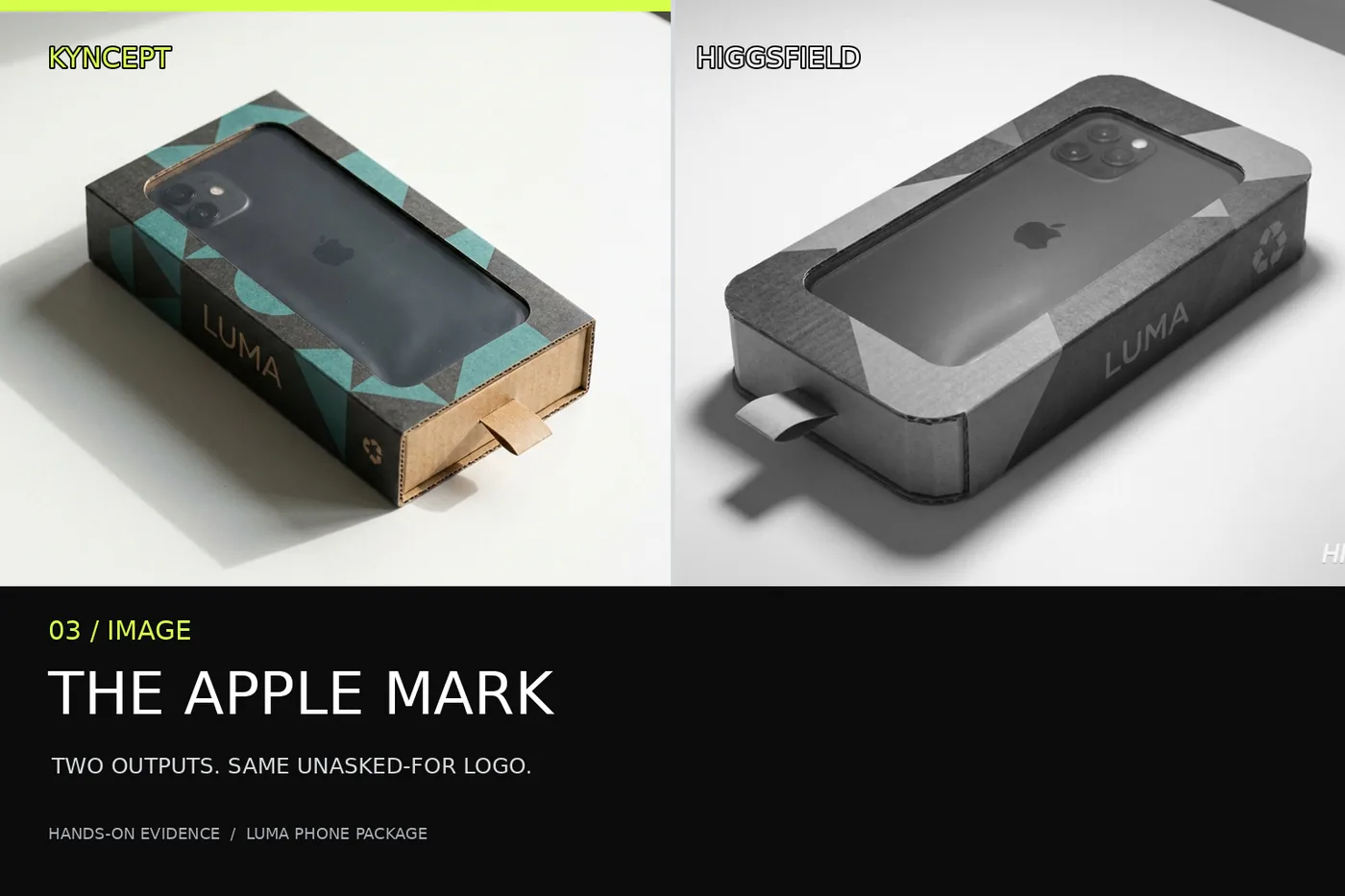
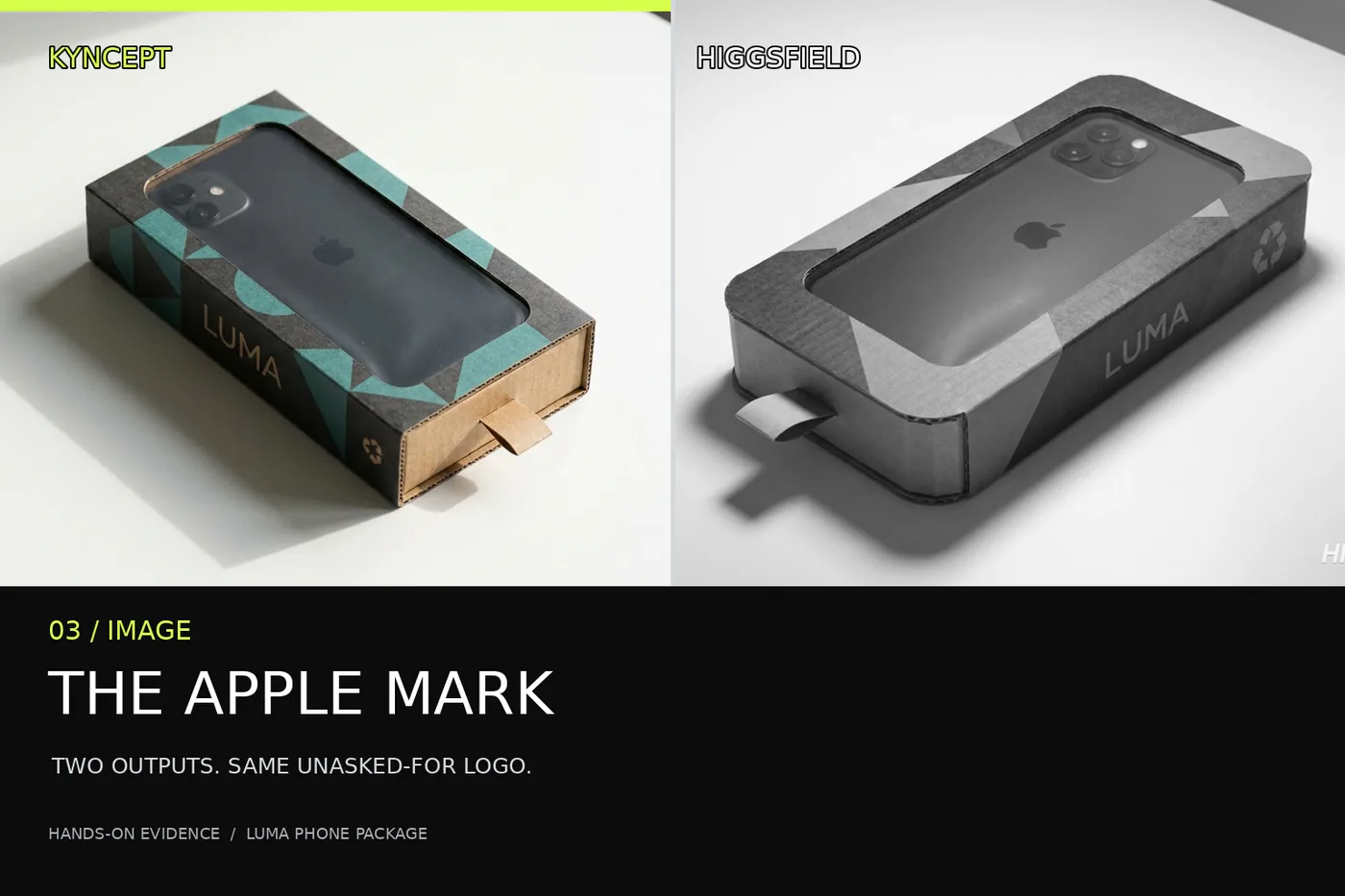
Editorial comparison cover made from the two second-run LUMA images. Both depicted handsets have an unrequested Apple mark; this designed split is not an untouched original or a quality measurement.
One prompt, the same selected image model
The image instruction asked for a matte-black smartphone inside a larger, phone-shaped corrugated-cardboard box on a white table. It specified charcoal-and-teal geometric printing, a die-cut window, transparent biodegradable film, a removable paper pull tab, folded seams, visible cardboard thickness, LUMA on the side, a small recycling symbol, and a grounded shadow. It forbade extra products. The same text-only request ran twice per platform, without a reference image, with displayed Nano Banana Pro and 16:9 selected on both UIs.
The named model, prompt, attempt count and selected ratio match. Random seeds, account entitlements and encodings do not. The delivered 1376 × 768 pixels are slightly wider than mathematical 16:9. These judgments come from downloaded originals, not preview thumbnails.
Four originals, four specific problems to check
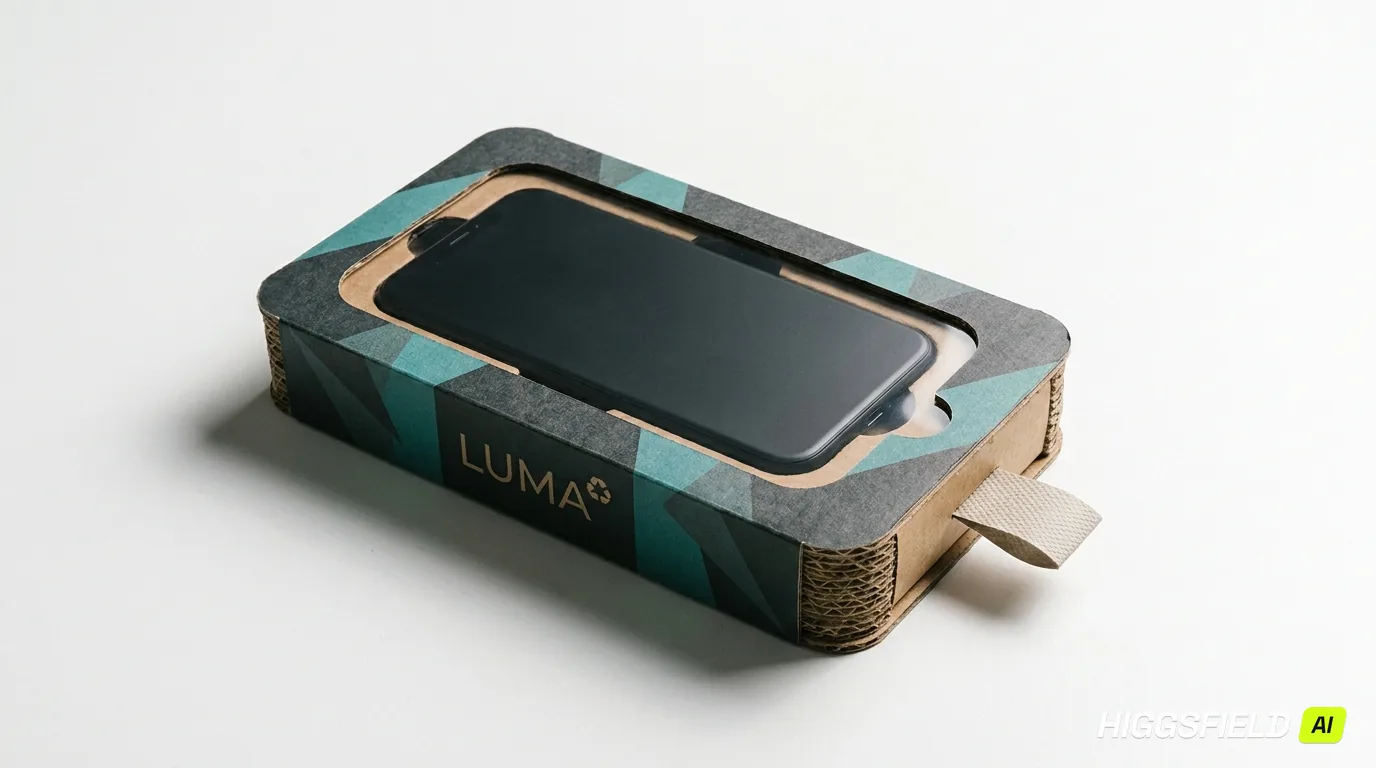
AI Video Pro image one looks like a plausible product photograph at first glance. LUMA appears on the package side; the die-cut opening, print, corrugated edge and pull tab are easy to find. Then the phone gives the game away: its screen has a round physical Home button. The prompt requested a matte-black smartphone, not an older handset style. For a packaging proposal, that detail changes the implied product even if the cardboard looks convincing.
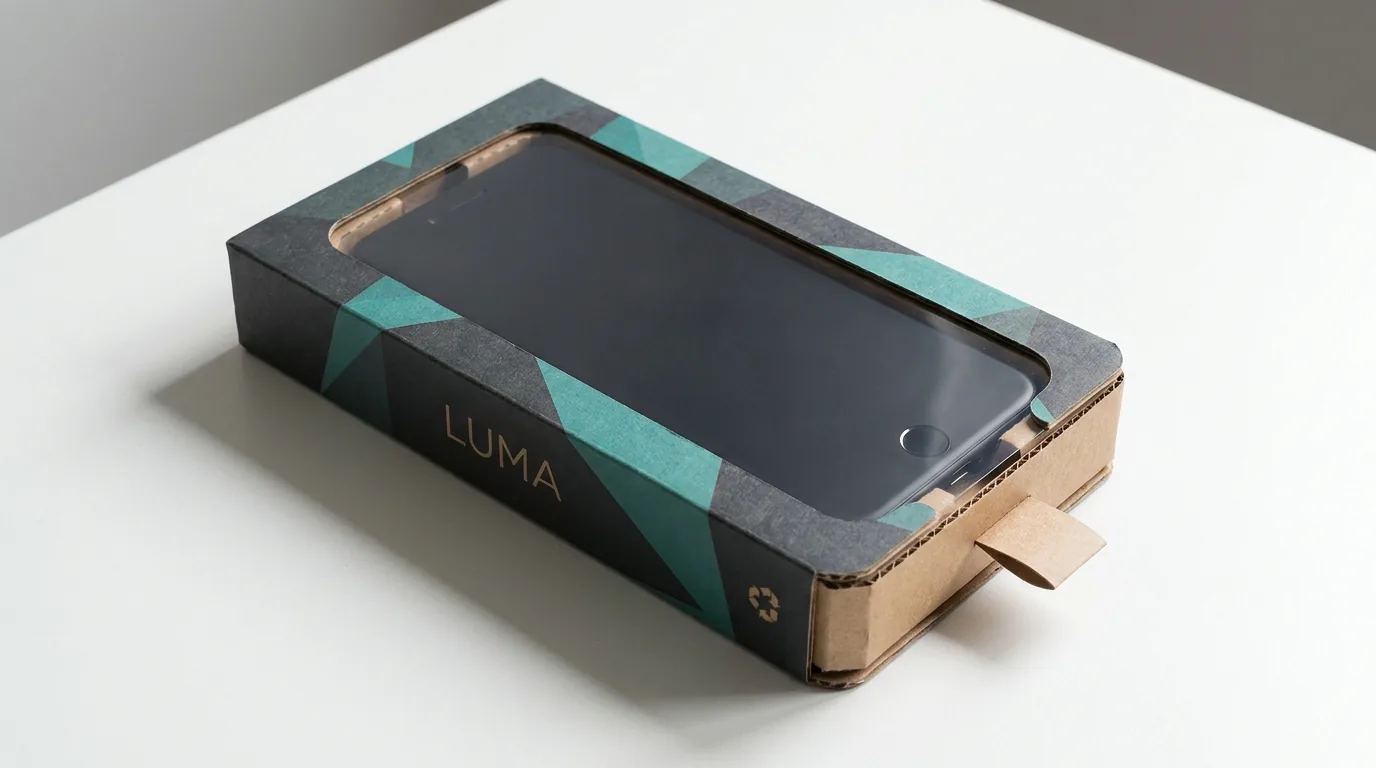
AI Video Pro original one: readable LUMA box, window, tab and corrugated side, with an unrequested physical Home button on the handset.
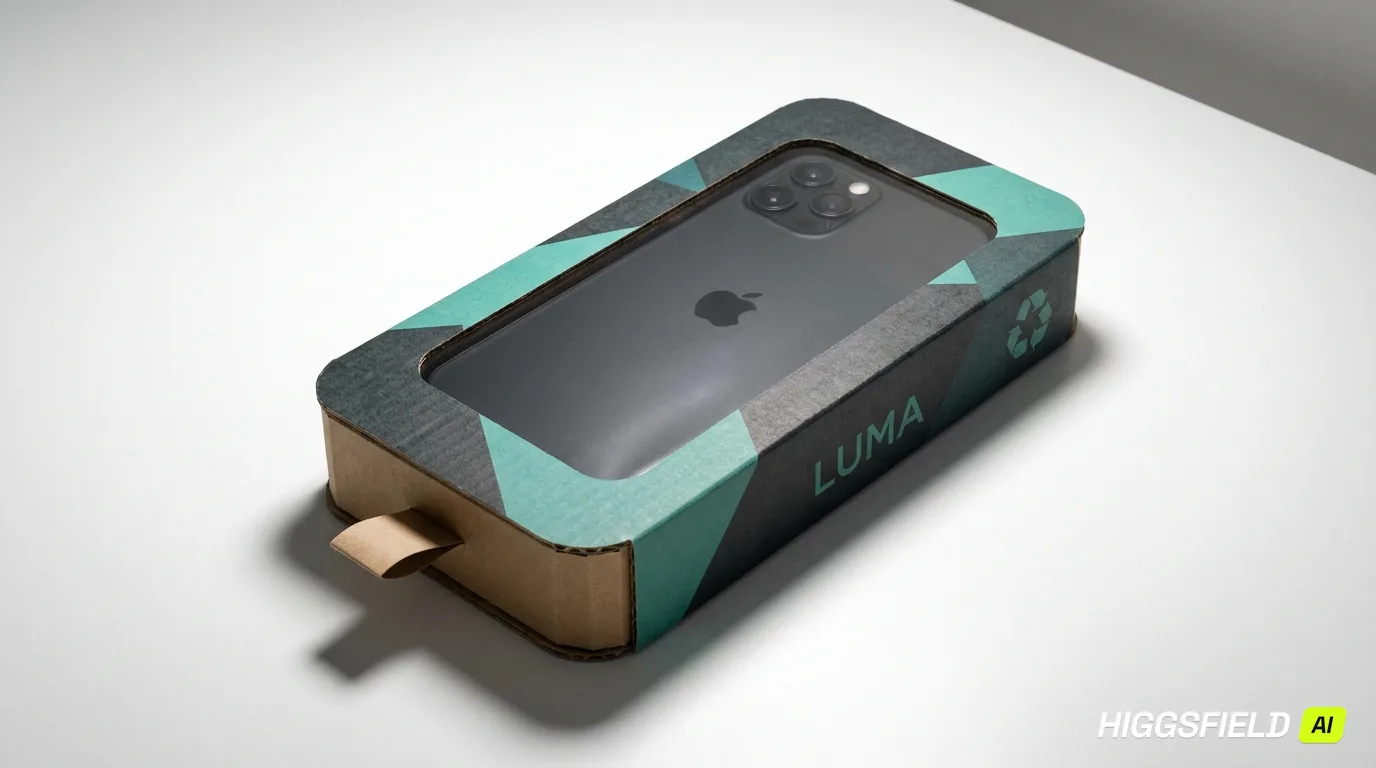
AI Video Pro image two changes the camera angle and shows the handset back. The pull tab and package construction remain visible. But there is an Apple-shaped mark on the phone. A fictional LUMA concept cannot be handed off as a clean unbranded device image without addressing that mark.
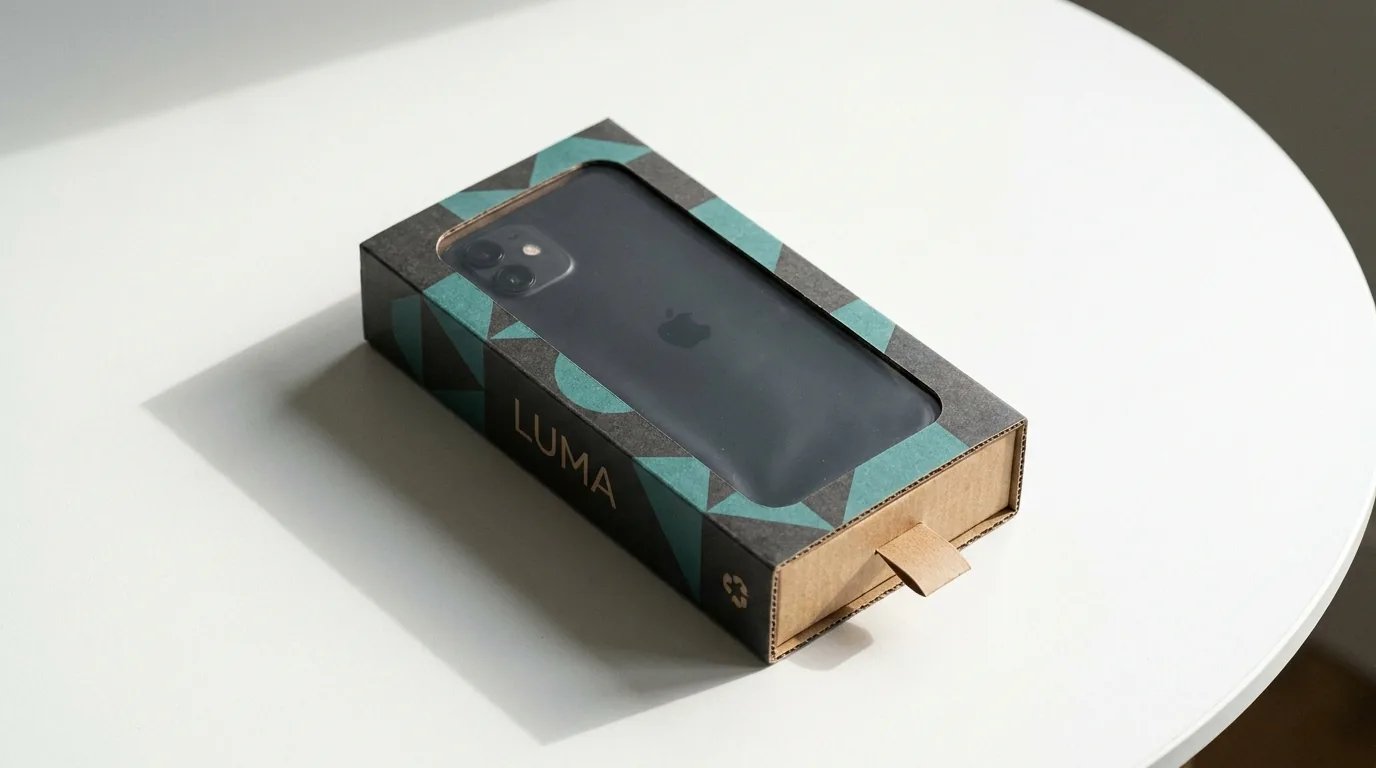
AI Video Pro original two: the handset is viewed from the back, where an unrequested Apple mark appears.
Higgsfield image one puts a dark screen in the opening and keeps the teal geometry, LUMA wordmark and cardboard edge in frame. It avoids the conspicuous physical button in AI Video Pro's first draw, but the downloaded file includes HIGGSFIELD AI at bottom right. Higgsfield image two rotates the box and reveals the back of a phone bearing an Apple mark, alongside the same baked-in platform mark. Those are defects visible in the actual delivered pixels, not merely in a page overlay.
Higgsfield original one: dark screen and branded box, with the HIGGSFIELD AI mark embedded at lower right.
Higgsfield original two: the unrequested Apple mark is on the phone back; the HIGGSFIELD AI mark remains in the original file.
Prompt adherence is not the same as a materials test
Both pairs got the broad composition: one handset, a phone-shaped cardboard package, teal-and-charcoal print, a window, a pull tab and LUMA lettering. Shadows put the packages on their white tables rather than floating them in space. These are meaningful wins for concept exploration. The two second runs also show why a plausible image is not a cleared product asset. The instruction was for a fictional label, yet each showed somebody else's mark on the handset. Neither platform has earned a brand-safety claim from this experiment.
The film is an even clearer boundary between appearance and evidence. A transparent-looking window can depict film, but pixels cannot tell a packaging engineer whether that material biodegrades. Likewise, the printed recycling symbol is an image detail, not a certification of the package. I would use these frames to discuss shape and art direction, then replace the material claim with independently sourced specifications before advertising it. Treating a handsome render as proof of a physical property would be a category error.
The two creation panels: comparable choices, different layouts
AI Video Pro placed Nano Banana Pro, the reference-image slot, prompt, aspect selection and one-image generation control in a left panel. The captured setup shows the reference slot empty, the prompt entered and 16:9 selected. The account used for this side was paid Pro. The screenshot also shows an upgrade control; it does not establish what a free AI Video Pro account would export or whether that output would carry a watermark.
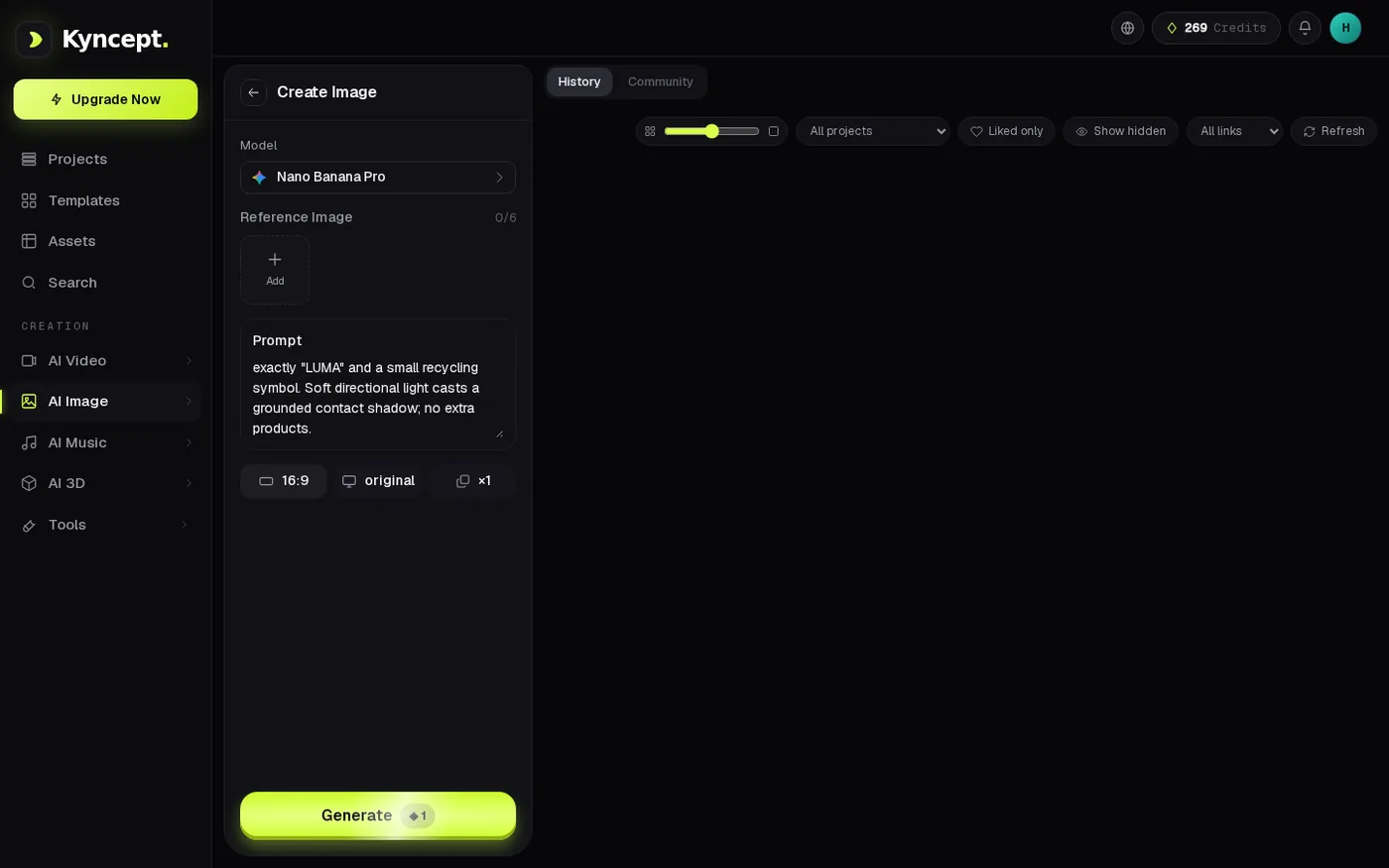
AI Video Pro's filled image panel: Nano Banana Pro, no reference image, 16:9 selection and the one-credit Generate control are visible.
Higgsfield condensed the same test prompt and model/aspect controls into a horizontal composer. The captured Generate button displayed two credits for the selected image job. Neither panel screenshot proves hidden defaults or general feature parity; it only documents the selections used here. Notice that a label saying 16:9 is a UI choice, while the measured file dimensions are the delivered result. Those should be recorded as separate facts whenever someone needs a specific crop.

Higgsfield's image composer: the LUMA prompt, Nano Banana Pro, 16:9 and a two-credit Generate button are shown together.
The waits: Higgsfield appeared first in these two runs
The first Higgsfield completion card was observed no later than 41.01 seconds after submission, and the second no later than 37.63 seconds. AI Video Pro's recorded UI completion waits were 55.7 and 54.0 seconds respectively. Thus the observed Higgsfield cards appeared at least 14.69 and 16.37 seconds earlier in these paired runs. “No later than” matters: a polling observation bounds the card's appearance; it is not a precision measurement of server execution or full-resolution download time.
Higgsfield's first completed UI card previews the first LUMA image; the recorded first sighting was no later than 41.01 seconds.
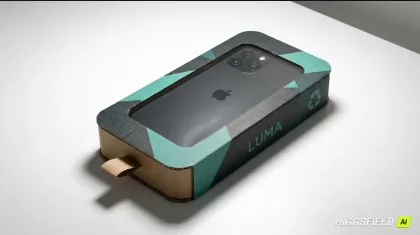
The second Higgsfield image's completed card was first observed no later than 37.63 seconds after submission; the original shown above also contains an unrequested Apple mark.
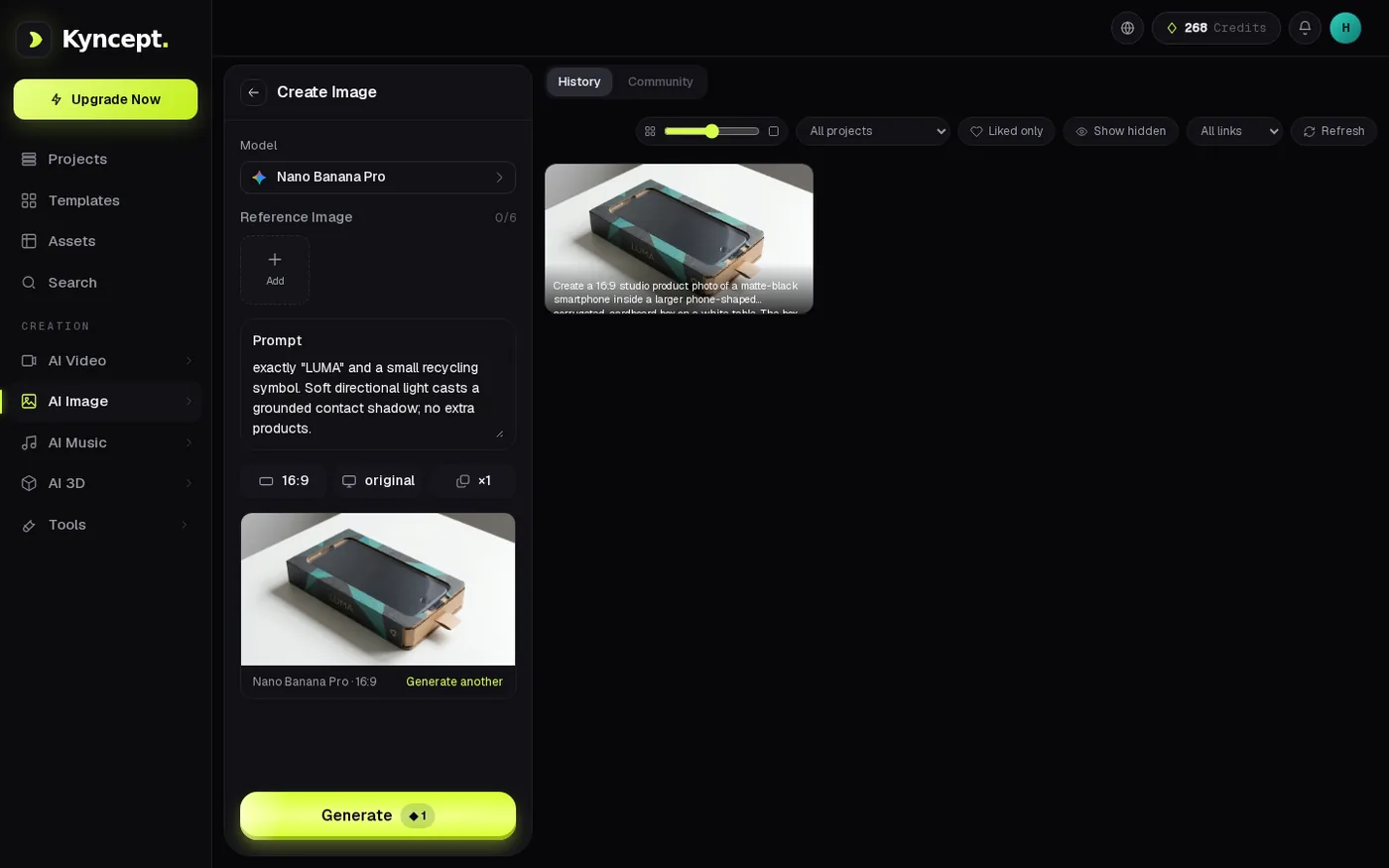
AI Video Pro's completed first image appears in History; that run's recorded UI wait was 55.7 seconds.
A quarter-minute matters to someone waiting on one concept. It cannot simply be multiplied across a batch: concurrency and queue behavior were not tested. The small sample says nothing reliable about platform-wide latency.
Credits are receipts, not interchangeable money
The Higgsfield free account's visible balance moved 6 → 4 → 2 over its two image jobs: two Higgsfield credits each. The AI Video Pro paid Pro account moved 269 → 268 → 267: one AI Video Pro credit per image. These balances verify within-site debits for the exact selected model and settings. They do not make one AI Video Pro credit equal to one Higgsfield credit in cash value, and this draft has no matched current plan prices with which to make a dollar comparison.
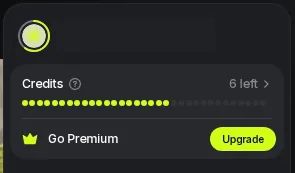
Higgsfield balance before the first image: six credits remain in the tested account.
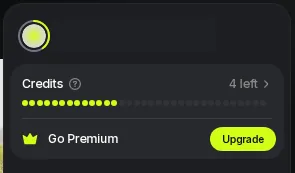
Higgsfield balance after image one: four credits remain.
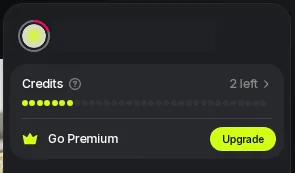
Higgsfield balance after image two: two credits remain, completing the observed 6 → 4 → 2 sequence.
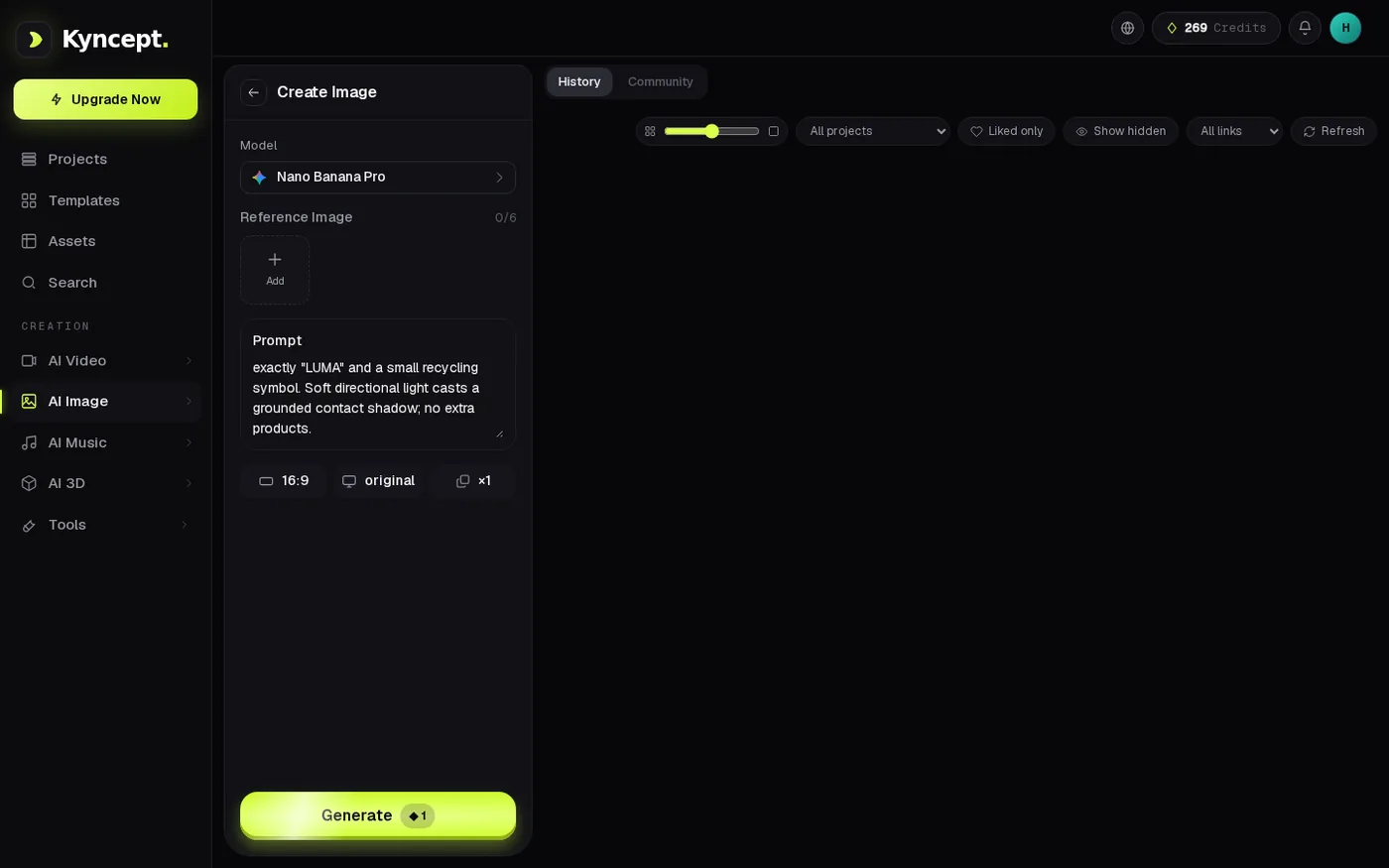
AI Video Pro balance before its first image: 269 credits on the tested paid Pro account.
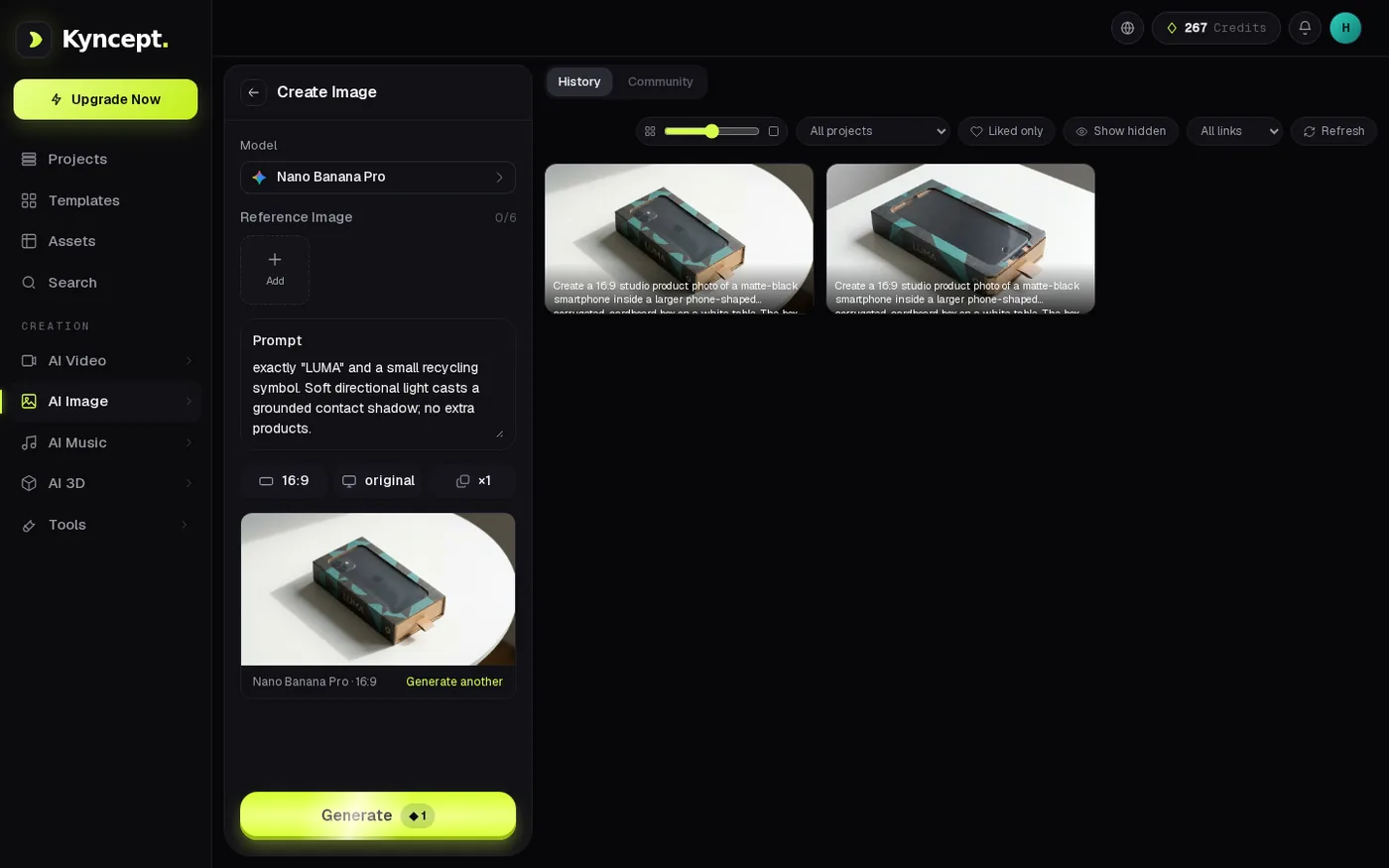
AI Video Pro History after image two shows both completed results and a balance of 267 credits, versus 269 before the pair.
At the observed debits, a hypothetical 20-image batch would require 40 Higgsfield credits or 20 AI Video Pro credits if nothing about model, setting or charging changed. That is useful for estimating a wallet inside each site, not for declaring one subscription cheaper. Even the displayed balances came from different account types. The comparison stops where the evidence stops.
A watermark visible in the downloaded original
A watermark on a preview and a mark embedded in an exported file are different production problems. Both Higgsfield original PNGs contain a visible HIGGSFIELD AI mark at lower right. If an art director wants to place an untouched render on a client slide, that corner becomes part of the slide. I am not inferring why it was applied or whether another entitlement would remove it. I am describing these two downloaded files from the tested free account.
Neither AI Video Pro JPEG original shows a visible AI Video Pro brand watermark. That is a practical difference in these four deliverables, but the tested AI Video Pro account was paid Pro. It would be dishonest to turn this into “AI Video Pro's free tier is watermark-free,” because no free AI Video Pro image was examined. Conversely, the Higgsfield mark does not erase its faster observed cards. Both properties can be true at once, and creators can decide which constraint matters for their intended handoff.
File size: 2.231× the transfer bytes, not 2.231× the quality
AI Video Pro's two originals were JPEGs of 569,660 and 643,178 bytes. Higgsfield's were RGBA PNGs of 1,362,297 and 1,343,707 bytes. Summed across each pair, that is 1,212,838 JPEG bytes against 2,706,004 PNG bytes, a 2.231× transfer-size ratio. PNG and JPEG use different compression and the PNGs include an alpha channel; this arithmetic cannot establish sharpness, aesthetic quality or which generator understood the prompt better.
At an ideal, uninterrupted 12 Mbps, the first AI Video Pro image's bytes alone represent about 0.380 seconds of transfer and the first Higgsfield image's about 0.908 seconds. Real users face connection setup, storage, retries and variable throughput, so these are illustrations of byte budgets rather than promised download timings. If bandwidth or slide-deck weight matters, test the actual destination format and process, not the assumption that a larger original contains a better picture.
A brief video aside, without a false like-for-like race
The same LUMA idea also had a text-to-video prompt, but it is not an image-quality tiebreaker. Higgsfield's tested Wan 2.5 Fast setting was 5 seconds / 720p in the UI and yielded a playable 5.042-second file. AI Video Pro yielded two 8.000-second clips from its video runs. The written request asked for eight seconds, so the Higgsfield clip under that selected setting fell 2.958 seconds short of the requested duration. The settings and delivered lengths differ; this is not an 8-second model-to-model speed or quality comparison. Higgsfield's video UI completion time was not captured precisely.
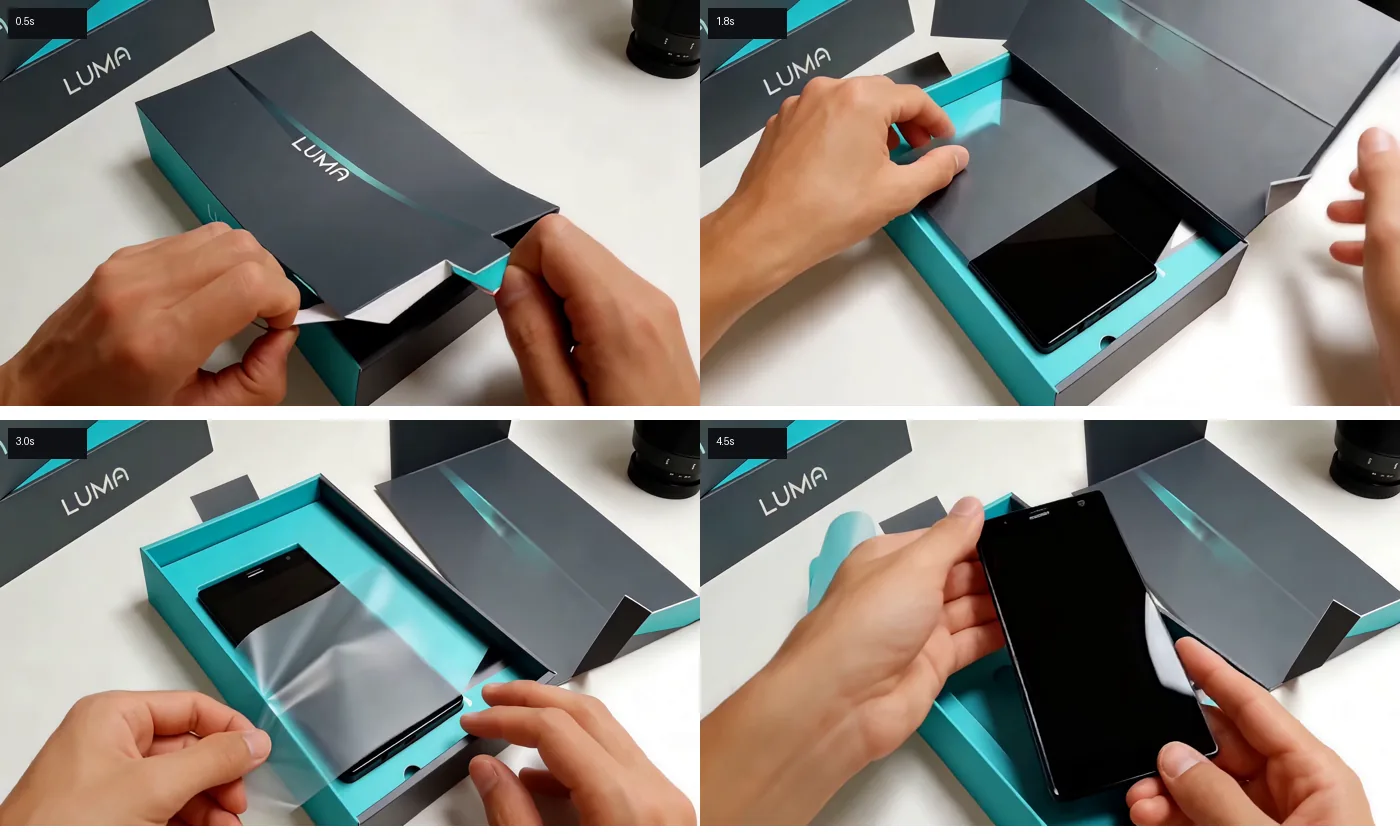
Four-frame contact sheet from Higgsfield's successful 5.042-second LUMA video: package, opening, film interaction and raised handset; still frames do not verify audio timing.
The video files had audio tracks, but nobody verified that paper tearing, hinge motion, film crinkling and tray clicks were synchronized by listening. A waveform peak would not prove which sound happened at which action. That question deserves its own viewed-and-heard test rather than being smuggled into a still-image verdict.
Final verdict: inspect the handset before choosing a winner
For the LUMA concept, the visual result is a practical tie with different cleanup. Higgsfield put completed cards on screen sooner in both observed image runs, but its two originals arrived with a platform mark baked in. AI Video Pro's paid Pro originals lacked a visible AI Video Pro watermark, but one phone had a Home button and the other borrowed an Apple mark. Higgsfield's second phone borrowed that mark as well. I cannot award a general quality crown from those four files or treat two currencies as one price. I can say exactly why none should go straight from generation to a fictional-brand launch.
Which one I would use for this job
For an early internal mood board where speed matters and the platform mark is tolerable, the first Higgsfield output is a credible starting point. For a handoff in which a visible generator mark is unacceptable, I would start with the unwatermarked files from the tested paid Pro AI Video Pro workflow at https://cutt.ly/QyEFlND8, then reject or revise the incorrect handset details. That is a conditional choice, not an assertion about either site's free-tier exports. Before shipping anything, I would independently verify the actual film specification and check the final device art for third-party marks.
Originally published on Medium: Higgsfield AI Image Generator Review 2026: The Four-Image LUMA Test.